Step 13 of 14
Install the ShelfWise Rider app
Your riders get each delivery with directions, and customers follow them live.
Where to find it: On the rider's Android phone
How to do it
- 1On the rider's phone, scan the QR code on this page, or send them the download link on WhatsApp.
- 2Android asks before installing apps from outside Google Play. Tap Settings, turn on Allow from this source, then Install.
- 3Open the app and type the six-number pairing code from Online orders → Riders.
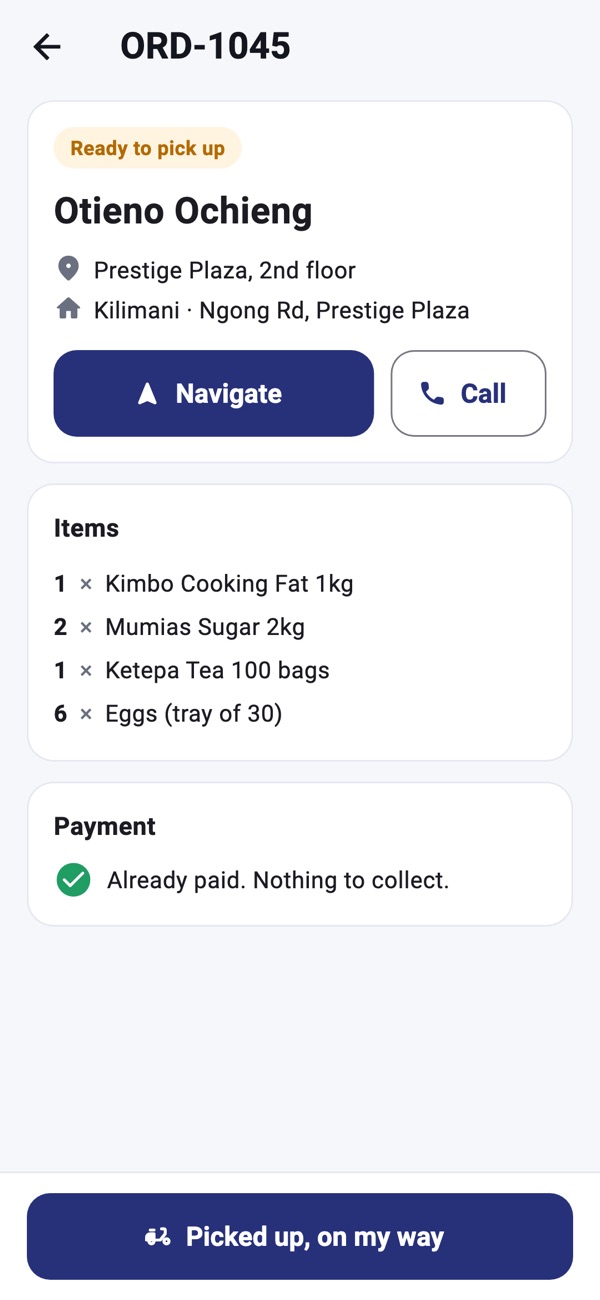
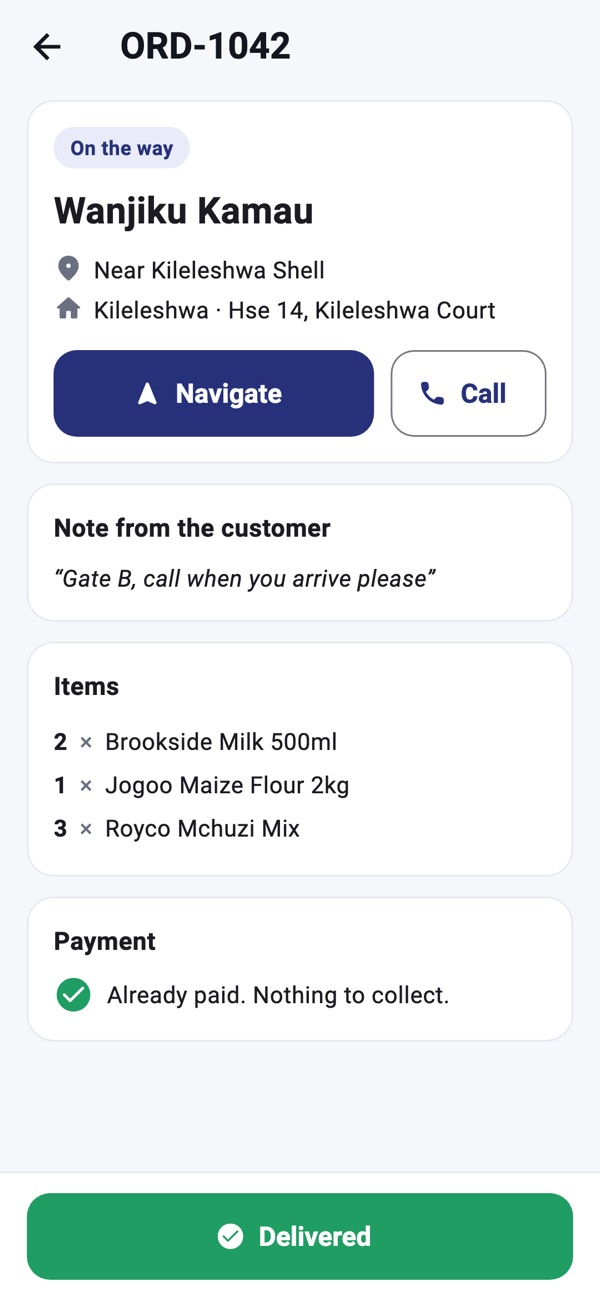
- 4Each delivery shows the customer, the address and the items. Online orders are paid by M-Pesa before they reach you, so there's nothing to collect.
- 5Navigate opens Google Maps turn by turn. Call phones the customer.
- 6When asked, allow location while using the app. It only shares the rider's position while an order is on its way.
Good to know: On Tecno, Infinix and itel phones, turn on Auto-start for ShelfWise Rider in Phone Master, so tracking keeps going with the screen off.
Rather we set it up with you?
We visit your business, add your products, connect M-Pesa and switch on your online shop and riders. KSh 3,000, once.
Ask for assisted setup