Step 12 of 14
Add your riders
Add each rider and pair their phone with a code.
Where to find it: Online orders → Riders
How to do it
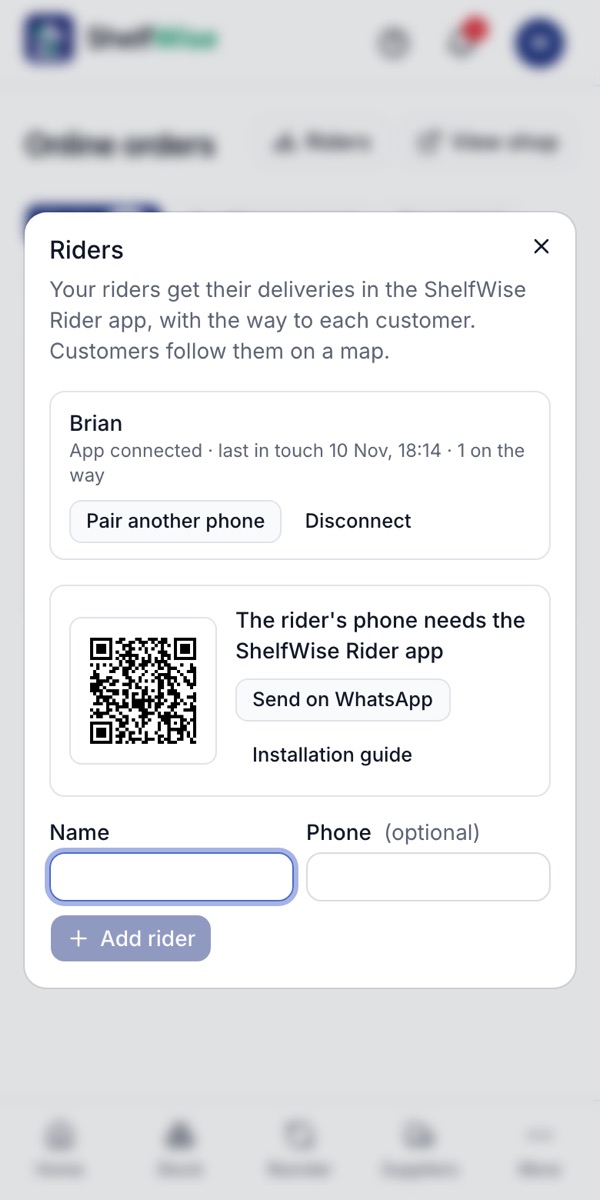
- 1Open Online orders and tap Riders.
- 2Enter the rider's name and phone number and tap Add rider.
- 3Tap Pair phone. ShelfWise shows a six-number code that works for 10 minutes.
- 4The rider types the code into the ShelfWise Rider app (next step). Their deliveries appear straight away.
Good to know: You can also mark someone on the staff list as a rider by turning on Delivers orders.
Rather we set it up with you?
We visit your business, add your products, connect M-Pesa and switch on your online shop and riders. KSh 3,000, once.
Ask for assisted setup