Step 11 of 14
Get orders, already paid
Customers order on their phone, pay by M-Pesa and the order comes to you.
Where to find it: Online orders
How to do it
- 1The customer opens your link, adds products and taps Checkout.
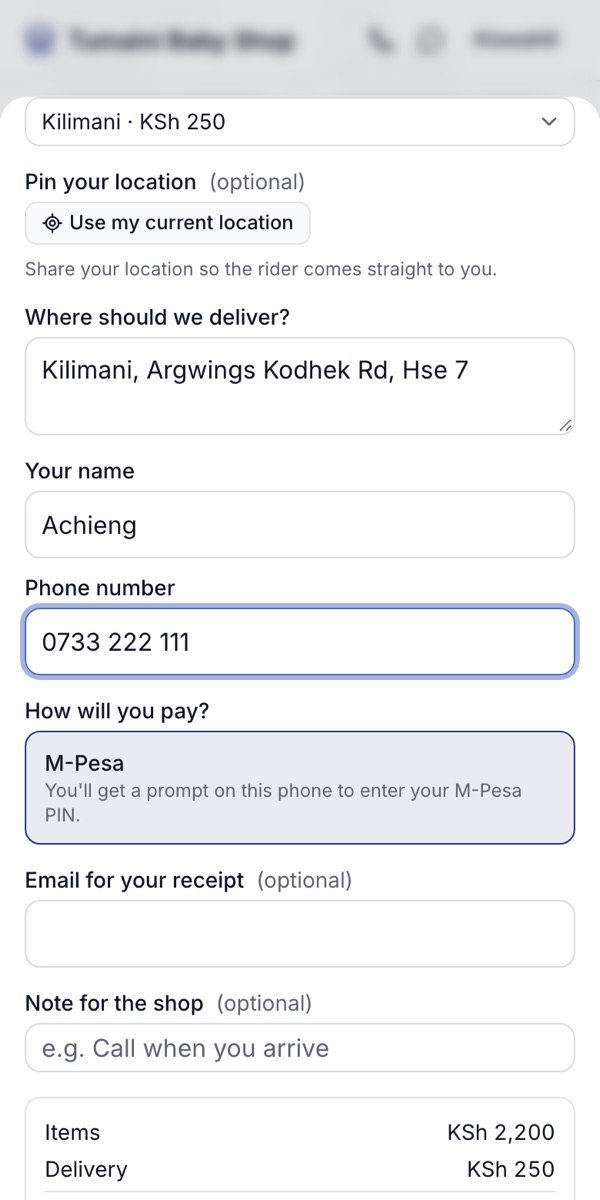
- 2They choose delivery and their area, or pickup, and can pin their exact location for the rider.
- 3They pay with M-Pesa before the order is sent: a prompt comes to their phone and they enter their PIN. The money goes straight to your own Till or Paybill.
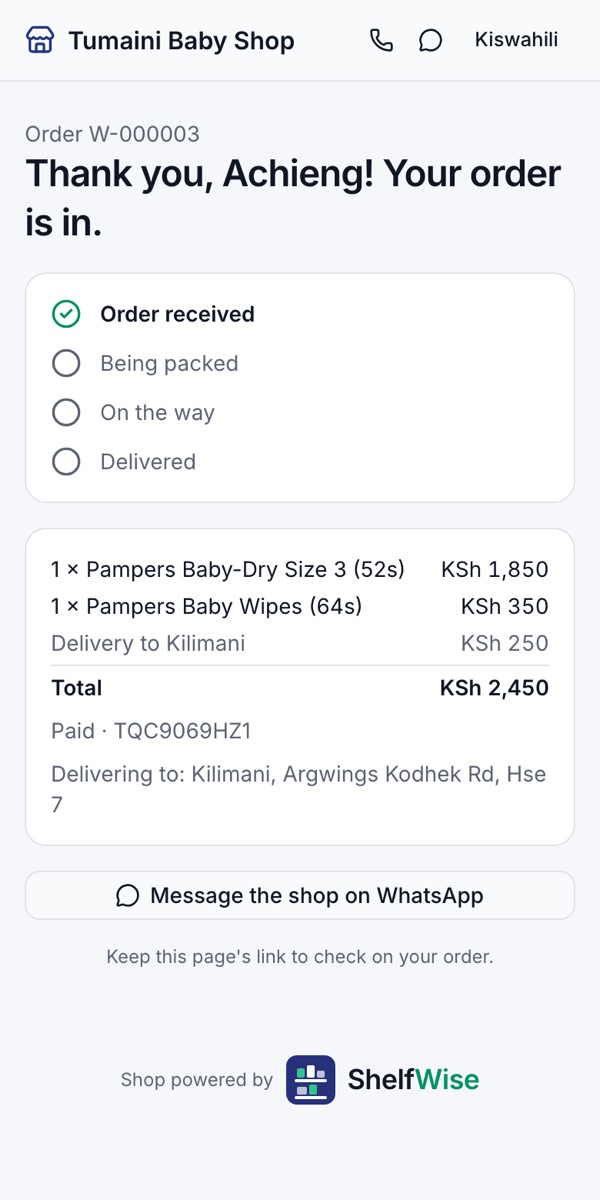
- 4They get a page to follow their order. Keep it: it shows each step until delivery.
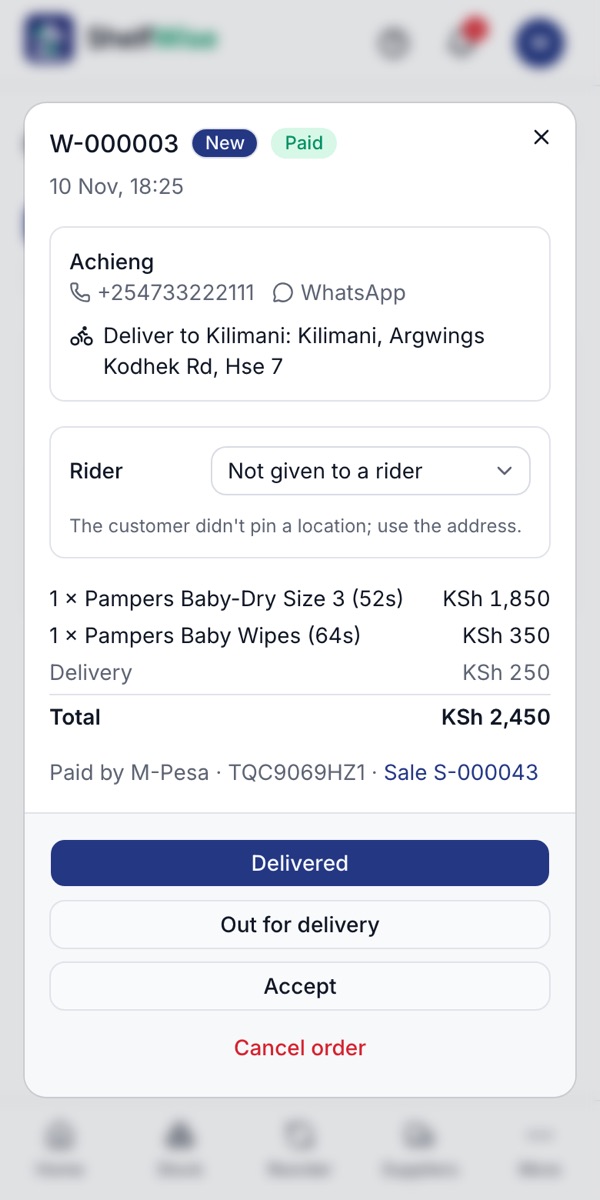
- 5The order arrives in Online orders marked Paid, and owners and managers get an email.
Rather we set it up with you?
We visit your business, add your products, connect M-Pesa and switch on your online shop and riders. KSh 3,000, once.
Ask for assisted setup